
How Remote Access Fraud Starts via SMS in 2026
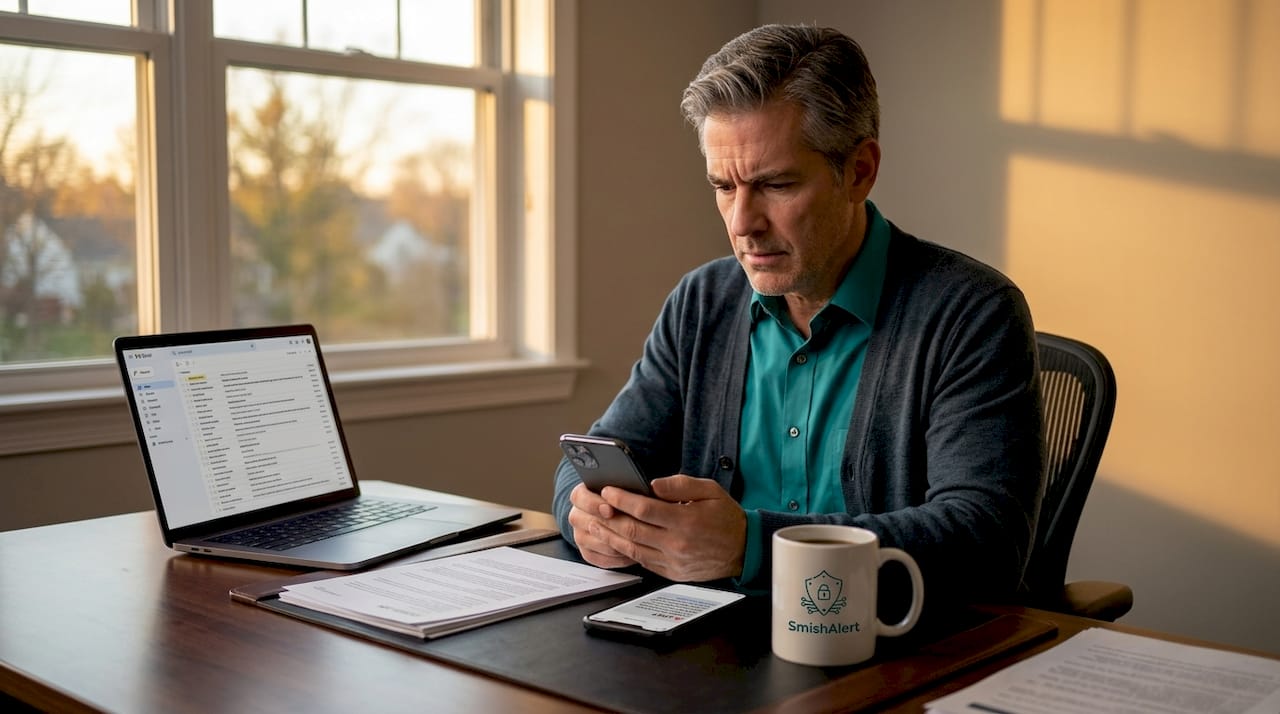
Remote access fraud via SMS is defined as a social engineering attack in which a fraudulent text message tricks a victim into installing remote desktop software, granting an attacker direct control over the device. The industry term for the initial hook is smishing, short for SMS phishing, and it serves as the entry point for a broader attack chain that ends in credential theft, financial fraud, or identity compromise. Tools like AnyDesk and TeamViewer are legitimate remote support applications, but attackers routinely weaponize them once a smishing message has lowered the victim’s defenses. Understanding how remote access fraud starts via SMS requires examining both the psychological manipulation and the technical mechanics that make these attacks so effective in 2026.
How remote access fraud starts via SMS: the initial hook
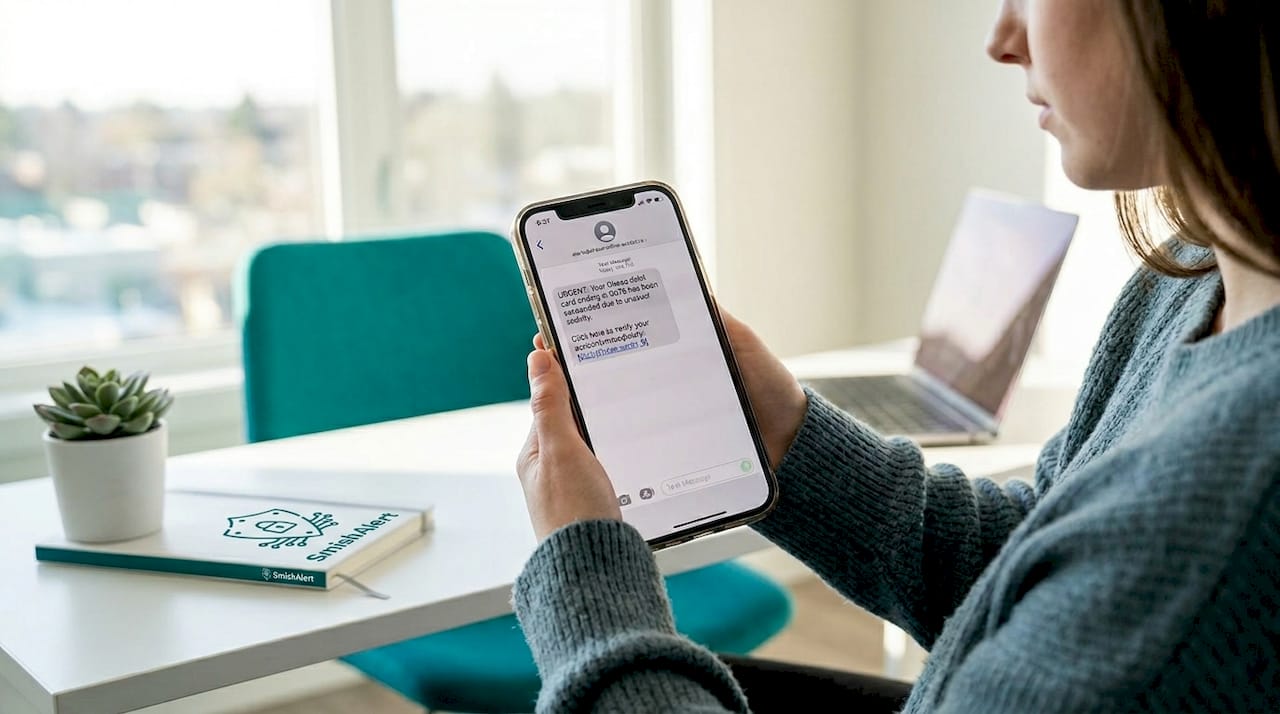
The attack begins with a single text message designed to appear trustworthy and demand immediate action. Smishing messages impersonate trusted organizations using urgency to push victims toward clicking malicious links, entering credentials, or sharing one-time passwords. The most common impersonation scenarios include:
- Bank fraud alerts: “Unusual activity detected on your account. Verify now or your card will be suspended.”
- Delivery notifications: A fake FedEx or UPS message claiming a package is held pending a small fee payment.
- Tech support warnings: A message appearing to come from Microsoft or Apple stating the device has been compromised.
- Government agency impersonation: Texts mimicking the IRS, Social Security Administration, or HMRC demanding urgent action.
Bank impersonation accounts for roughly 10% of all smishing scams, which signals how heavily attackers concentrate on financial targets. That figure also means the majority of smishing attacks arrive through non-banking channels, making the threat surface far wider than most employees expect.
Attackers reinforce the deception through sender-ID spoofing. Spoofed sender IDs cause fraudulent SMS messages to appear in the same conversation thread as legitimate messages from the impersonated organization. When a victim sees a new “bank” message sitting directly beneath a real transaction confirmation, skepticism drops sharply. This technique is one of the primary reasons smishing succeeds at rates that surprise even experienced security professionals.
Pro Tip: Never judge an SMS by its sender name or its position in a conversation thread. Sender IDs are trivially spoofed, and a message appearing next to a legitimate one is not evidence of authenticity.
What the attack chain looks like after the first message
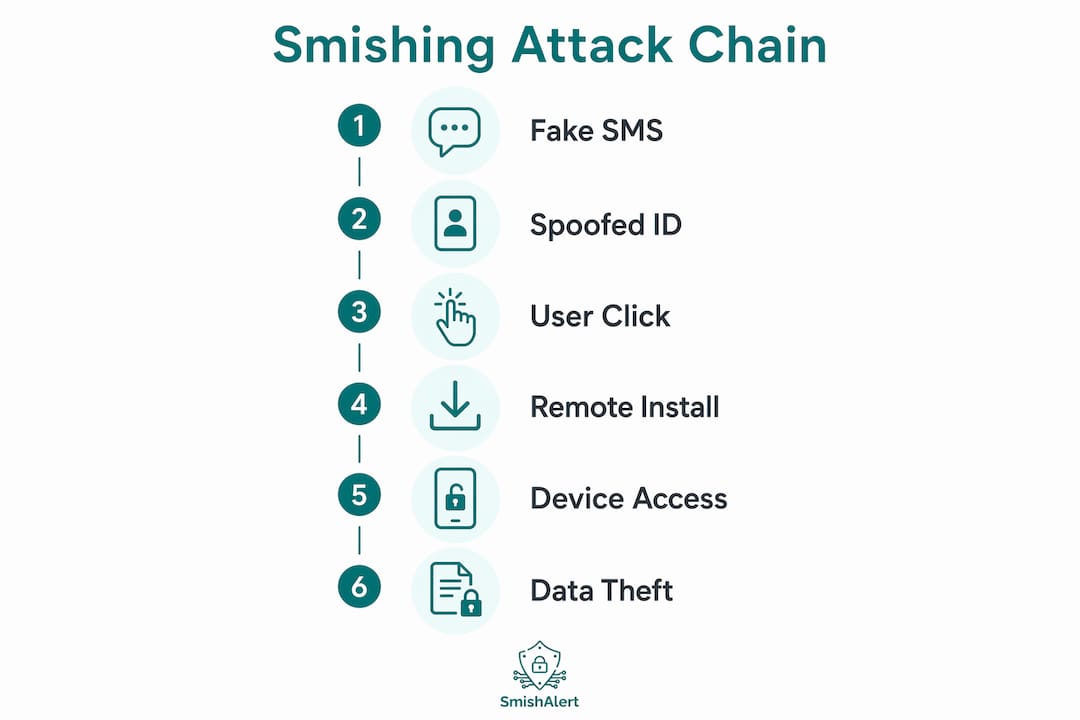
Once a victim engages with the smishing message, the fraud progresses through a predictable sequence. Understanding each step is the clearest way to recognize where intervention is possible.
- Victim clicks the embedded link or calls the provided number. The link typically leads to a credential-harvesting page or a live “support agent.” Calling the number connects the victim directly to the attacker posing as a bank representative or IT technician.
- The attacker creates urgency and establishes authority. The caller claims the victim’s account has been breached or their device is infected, and that immediate remote assistance is required to resolve it.
- Victim is instructed to download remote desktop software. Attackers direct victims to install AnyDesk, TeamViewer, or UltraViewer under the pretense of receiving technical support. These are legitimate tools, which is precisely why endpoint security software rarely flags the installation.
- The attacker gains full remote control. Once the session is active, the attacker can view the screen, navigate file systems, open banking applications, and initiate transfers. The victim often watches helplessly as the session proceeds.
- Credential theft and financial fraud execute in real time. Tech support scams using AnyDesk and TeamViewer commonly result in attackers accessing online banking portals, stealing stored passwords, and transferring funds before the victim realizes what is happening.
- The attacker covers tracks or installs persistence. Some attackers install additional malware during the session to maintain access after the call ends, enabling lateral movement across the network if the victim is on a corporate device.
“The screen going black during a remote session is a deliberate attacker technique. It prevents the victim from seeing what the attacker is doing while maintaining full control of the device.”
This six-step sequence from smishing message to active device exploitation can complete in under 20 minutes. The speed is intentional. Attackers rely on the victim not having time to pause, verify, or consult a colleague.
Technical enablers that make SMS fraud hard to detect
The effectiveness of SMS-based remote access scams is not purely psychological. Several technical mechanisms amplify the deception and reduce the chance of detection.
| Technical mechanism | How it enables fraud |
|---|---|
| Sender-ID spoofing | Places fraudulent messages inside legitimate conversation threads, reducing victim scrutiny |
| SMS thread continuation | Attacker messages appear visually indistinguishable from authentic organizational communications |
| Legitimate RAT abuse | AnyDesk and TeamViewer are not flagged by most endpoint security tools, bypassing detection |
| OTP interception via device pairing | Malware accesses OTPs through Microsoft Phone Link or similar sync features, defeating SMS 2FA |
| 2G downgrade attacks | Fake base stations force devices to 2G, enabling SMS interception at the network layer |
The OTP interception vector deserves particular attention. RATs like “CloudZ” access OTPs through paired device data stores such as Microsoft Phone Link, effectively bypassing SMS-based two-factor authentication without the attacker ever needing physical access to the phone. This means SMS-based 2FA does not guarantee OTP security when device pairing and syncing features are active on the same machine. Organizations that consider SMS OTP a sufficient second factor are operating on an outdated threat model.
The Canadian Centre for Cyber Security advises disabling 2G where possible to prevent phones from connecting to fake base stations used for SMS interception. Most modern Android devices include a setting to enforce 4G/5G-only connections. This single configuration change removes an entire class of network-layer SMS attack from the threat surface.
Pro Tip: Audit which devices in your organization have Microsoft Phone Link or similar cross-device sync tools active. If a workstation can receive and display SMS messages, it can also leak OTPs to any malware running on that machine.
Preventing remote access fraud: controls that actually work
Prevention requires layering human process controls with technical defenses. Neither alone is sufficient.
For individuals:
- Do not click links in unsolicited SMS messages. Verify through official portals or known contact numbers rather than any contact information provided in the message itself.
- Treat any unsolicited request to install remote desktop software as a confirmed social engineering attempt. No legitimate bank, government agency, or technology company initiates support by asking you to install AnyDesk or TeamViewer via SMS.
- Review the signs of remote access fraud before engaging with any unexpected technical support contact.
For organizations:
- Implement out-of-band verification processes before any employee permits a remote access session requested via SMS or email. The FBI explicitly recommends verifying remote support requests through established internal channels, not through the contact details in the message.
- Replace SMS OTP with phishing-resistant MFA methods such as FIDO2 hardware keys or authenticator app-based TOTP. SMS OTP is the weakest link in the authentication chain when device pairing vulnerabilities are present.
- Deploy mobile phishing protections that give security teams visibility into SMS-based threats targeting employees outside the corporate perimeter. Traditional email security platforms do not cover this attack surface.
- Establish and enforce a policy that any remote desktop session must be initiated through the organization’s own IT service management system, never through a link or number provided in an unsolicited message.
A comparison of authentication approaches clarifies the risk differential:
| Authentication method | Resistance to SMS fraud | Notes |
|---|---|---|
| SMS OTP | Low | Vulnerable to SIM swap, interception, and device pairing leaks |
| Authenticator app TOTP | Medium | Not interceptable via SMS, but phishable via real-time proxy |
| FIDO2 hardware key | High | Phishing-resistant by design, bound to origin domain |
| Push notification MFA | Medium | Susceptible to MFA fatigue attacks without number matching |
Key takeaways
Remote access fraud via SMS succeeds because smishing combines sender spoofing, urgency, and legitimate remote access tools to bypass both human judgment and technical controls simultaneously.
| Point | Details |
|---|---|
| Smishing is the entry point | Every SMS-initiated remote access attack begins with a spoofed, urgent text impersonating a trusted organization. |
| Legitimate tools are weaponized | AnyDesk and TeamViewer are not flagged by most security tools, making them the attacker’s preferred delivery mechanism. |
| SMS 2FA is insufficient | OTP leakage through device pairing features like Microsoft Phone Link undermines SMS-based authentication. |
| Out-of-band verification stops attacks | Requiring employees to verify remote access requests through internal IT channels breaks the attack chain at step two. |
| Phishing-resistant MFA is the standard | FIDO2 and authenticator app TOTP provide materially stronger protection than SMS OTP against this attack class. |
Why the human layer is still the most exploited attack surface
I have reviewed hundreds of SMS-based social engineering incidents, and the pattern that stands out most is not the technical sophistication of the tools. It is how consistently attackers exploit the gap between what employees are told in security training and what they actually do under pressure.
Most employees know, in the abstract, that they should not install software from an unsolicited request. But when a message appears in the same thread as a real bank notification, and a convincing caller explains that their account will be frozen in 10 minutes unless they act, the training evaporates. The urgency is engineered precisely to override deliberate thinking.
What I find underappreciated in organizational security programs is the role of process hardening over awareness training alone. Telling employees “be suspicious of SMS links” is far less effective than giving them a single, mandatory step: any remote access request must be logged through the internal IT ticketing system before the session begins. That one procedural requirement breaks the attack chain regardless of how convincing the social engineering is.
The emerging threat from tools like the CloudZ RAT, which exploits Microsoft Phone Link to steal OTPs, also signals that the technical threat is evolving faster than most SMS fraud awareness programs acknowledge. Organizations that still treat SMS OTP as a meaningful second factor in 2026 are not accounting for the current threat model. The smishing techniques used by state-sponsored actors demonstrate that this is not a problem limited to opportunistic criminals.
The most defensible posture combines phishing-resistant MFA, enforceable verification policies, and continuous visibility into SMS threats targeting your workforce. Awareness alone does not close the gap.
— Sophie
How SmishAlert gives security teams visibility into SMS fraud
SMS-based remote access fraud operates entirely outside the perimeter that traditional email security platforms monitor. SmishAlert is built specifically to close that gap. The platform gives security teams visibility into smishing campaigns targeting employees across SMS, iMessage, and WhatsApp, including executive impersonation, credential-harvesting attempts, and the kind of tech support lures that lead to remote desktop exploitation. Through user reporting, campaign correlation, and threat analysis, SmishAlert enables security leaders to detect and measure their organization’s exposure to messaging-based social engineering before it results in compromise. Explore SmishAlert’s SMS fraud detection capabilities or see the platform’s latest capabilities at RSA Conference 2026.
FAQ
What is smishing and how does it relate to remote access fraud?
Smishing is SMS phishing, where attackers send fraudulent text messages impersonating trusted organizations to manipulate victims. In remote access fraud, the smishing message is the first step that leads victims to install remote desktop software like AnyDesk or TeamViewer, giving attackers direct device control.
How do attackers make smishing messages look legitimate?
Attackers use sender-ID spoofing to make fraudulent messages appear inside the same conversation thread as genuine messages from the impersonated organization. This technique, documented by the Canadian Centre for Cyber Security, significantly reduces victim scrutiny.
Is SMS two-factor authentication enough to prevent remote access fraud?
SMS OTP is not sufficient protection against remote access fraud. Phishing-resistant MFA methods such as FIDO2 hardware keys provide materially stronger defense, and RATs like CloudZ can steal OTPs directly through device pairing features like Microsoft Phone Link.
What are the clearest signs of remote access fraud in progress?
The clearest signs include an unsolicited request to install AnyDesk, TeamViewer, or any remote desktop tool, a screen going black during a support call, and an agent asking to access banking applications or transfer funds “to protect your account.”
What is the single most effective organizational control against SMS-initiated remote access scams?
Requiring out-of-band verification for any remote access request through an internal IT channel, rather than through contact details in the message itself, breaks the attack chain before the attacker gains device access. The FBI identifies this process control as the highest-impact defense against tech support impersonation.