
Personal Device Corporate Risk: What IT Teams Must Know

Personal device corporate risk is defined as the aggregate of security, legal, and operational vulnerabilities that arise when employees use personally owned devices to access corporate systems, data, or networks. The industry term for this practice is Bring Your Own Device, or BYOD, and its risks span credential theft, data leakage, compliance failure, and legal exposure. Unauthorized device access surged 78% in 2025, overtaking social engineering as the primary identity theft vector for workers aged 35–64. That statistic signals a structural shift: the personal device is now the front line of enterprise risk. Frameworks from NIST, GDPR, and HIPAA all impose obligations on how corporate data is handled, regardless of which device holds it.
What is personal device corporate risk in enterprise environments?
Personal device corporate risk concentrates around one core problem: organizations lose visibility and control the moment corporate data moves onto a device they do not own or manage. A corporate laptop runs endpoint detection, enforced patch cycles, and remote wipe. A personal smartphone typically runs none of those controls. The gap between those two states is where breaches begin.
The five primary risk categories security teams encounter are:
- Credential theft. Personal devices with outdated operating systems and sideloaded apps become credential harvesting platforms. Inconsistent patching and unmanaged app permissions give attackers a reliable entry point into corporate accounts.
- Data leakage. Corporate content moves into personal cloud services or messaging apps when Data Loss Prevention controls and containerization are absent. A single copy-paste from a corporate document to a personal notes app can constitute a reportable data breach under GDPR.
- Lost or stolen devices. Without corporate remote wipe capability, a lost phone retains full access to email, SharePoint, and any cached credentials until the employee notices and reports it.
- Unsecured network exposure. Personal devices routinely connect to public Wi-Fi at airports, hotels, and coffee shops. Traffic interception on those networks exposes session tokens and unencrypted credentials.
- Sideloaded and unvetted apps. Apps installed outside official stores bypass platform security reviews. They frequently request excessive permissions and can exfiltrate data silently.
Traditional VPNs compound the problem rather than solve it. A VPN grants a personal device full network access once connected, meaning a compromised device moves freely inside the corporate perimeter. Zero Trust Network Access (ZTNA) replaces that model by enforcing continuous device posture checks and identity verification before granting access to any individual resource. ZTNA prevents lateral movement by unmanaged devices, which is the critical difference from legacy VPN architecture.
Pro Tip: Audit which corporate resources personal devices can reach via VPN today. Any resource accessible without a posture check is an uncontrolled exposure point. Prioritize migrating those resources to a ZTNA policy first.
Security teams managing remote worker device security should treat ZTNA adoption as a prerequisite, not an upgrade.
How do legal and compliance factors elevate personal device corporate risks?
Legal exposure from BYOD is frequently underestimated until an incident forces a forensic investigation. At that point, organizations discover that personal device data is legally complex to collect across jurisdictions. Forensic data collection on personal devices is legally complex across jurisdictions, leading to delayed incident response. That delay has direct consequences: evidence degrades, regulatory notification windows close, and legal costs rise.
The core compliance complications include:
- Data residency conflicts. GDPR restricts where EU resident data can be stored or processed. A personal device that syncs to a US-based personal cloud service can create an automatic violation.
- Consent and Acceptable Use Policies. Without a signed Acceptable Use Policy at onboarding, organizations lack the legal basis to access or wipe a personal device during an investigation.
- E-discovery obligations. Litigation hold notices must extend to personal devices if corporate data resides on them. Courts have sanctioned organizations that failed to preserve relevant data on employee-owned devices.
- Multi-jurisdiction regulatory environments. A single incident involving employees in California, Germany, and Singapore triggers CCPA, GDPR, and PDPA obligations simultaneously.
Legal teams are often involved too late in BYOD incidents. Pre-signed consent at onboarding is the single most defensible action an organization can take. Without it, forensic data collection from a personal device requires a court order, which adds weeks and significant cost to any investigation.
Pro Tip: Treat the BYOD consent form as a legal instrument, not an HR checkbox. Have legal counsel draft it, and require re-signing whenever the policy changes or an employee changes roles.
The biggest hidden risk in BYOD is legal incapacity during audits caused by blurred boundaries between corporate and personal data. IT and legal must co-own the BYOD policy from day one, not after the first incident.
What technical controls reduce personal device corporate risk?
Modern BYOD security relies on layered controls that protect corporate data without requiring full device ownership. The two foundational approaches are Mobile Device Management (MDM) and Mobile Application Management (MAM), and they serve different purposes.

MDM enrolls the entire device under corporate management. It enables full remote wipe, enforced encryption, and policy compliance checks. The trade-off is significant: employees surrender meaningful control over their personal device, and organizations assume liability for that device’s configuration. Most employees resist full MDM enrollment on personal hardware.
MAM protects corporate apps and data without enrolling the personal device itself. Microsoft Intune App Protection Policies are widely deployed for containerization and selective wiping of corporate data only. MAM creates a managed container for corporate apps while leaving personal apps and data untouched. That separation is the practical foundation of privacy-respecting BYOD security.
| Control | Scope | Privacy impact | Best for |
|---|---|---|---|
| MDM | Full device | High: full corporate visibility | Corporate-owned devices |
| MAM | Corporate apps only | Low: personal data untouched | BYOD personal devices |
| ZTNA | Network access layer | Minimal: posture check only | All device types |
| Legacy VPN | Full network tunnel | Moderate: traffic visible | Managed devices only |
Conditional Access policies add a critical gate before any authentication completes. A Conditional Access rule can block sign-in from a device running an outdated OS, from an unrecognized location, or from a device without an active MAM policy applied. Data Loss Prevention (DLP) integration then governs what happens after sign-in: blocking copy-paste from corporate apps to personal apps, restricting downloads to unmanaged storage, and alerting on anomalous data transfers.
Pro Tip: Deploy MAM with Conditional Access before touching MDM for personal devices. That combination covers 80% of corporate data exposure with near-zero employee friction.
For teams assessing mobile security gaps, containerization paired with ZTNA represents the current best practice for BYOD environments. Securing sensitive data on shared or personal devices follows the same principle: isolate corporate data at the application layer rather than attempting to control the entire device.
What operational best practices manage personal device corporate risk?
Technical controls fail without the organizational processes that support them. Security architecture is only as effective as the policies and people operating around it. The following practices form the operational backbone of a defensible BYOD program.
-
Establish a legally reviewed Acceptable Use Policy. The AUP must define what corporate data employees can access on personal devices, what apps are prohibited, and what rights the organization retains during an investigation. Legal review is not optional.
-
Require BYOD consent at onboarding. Pre-signed consent at onboarding is critical for defensible e-discovery. The consent form should explicitly authorize MAM enrollment, selective wipe of corporate data, and access logging.
-
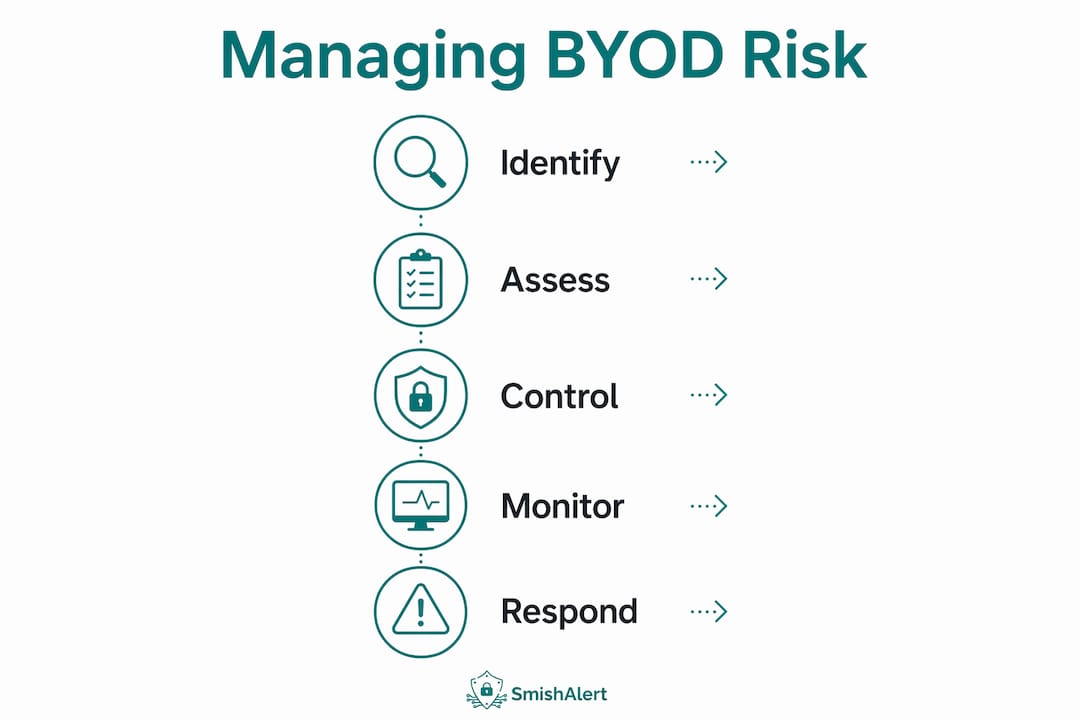
Conduct regular risk assessments and device compliance monitoring. Quarterly reviews of which devices have active MAM policies, which are running outdated OS versions, and which have fallen out of compliance catch drift before it becomes a breach.
-
Train employees on personal device security hygiene. Training should cover public Wi-Fi risks, recognizing smishing and credential-harvesting attempts, and the correct procedure for reporting a lost or stolen device. High-risk user groups, including executives and finance staff, require advanced defensive options such as Apple’s Lockdown Mode, because standard hygiene is insufficient for those threat profiles.
-
Implement a standardized incident reporting and triage protocol. BYOD policies without operationalized incident response create reactive, inconsistent legal involvement. Clear triage protocols and defined action triggers improve risk management. A centralized reporting system, whether a SIEM-integrated ticketing tool or a dedicated mobile threat platform, removes ambiguity about who acts and when.
Encouraging prompt reporting of lost or compromised devices is the single fastest way to reduce dwell time after a personal device incident. Every hour between loss and report is an hour of uncontrolled access.
Key Takeaways
Personal device corporate risk is a layered problem requiring coordinated technical, legal, and operational responses, and organizations that treat it as a technology issue alone will consistently fail to contain it.
| Point | Details |
|---|---|
| BYOD risk is structural | Unmanaged personal devices create visibility gaps that no single control fully closes. |
| Legal preparation is non-negotiable | Pre-signed BYOD consent at onboarding is the foundation of defensible incident response. |
| MAM outperforms MDM for personal devices | MAM protects corporate data without device enrollment, reducing employee resistance. |
| ZTNA replaces VPN for BYOD | ZTNA enforces posture-aware access and prevents lateral movement by unmanaged devices. |
| Incident response must be operationalized | Clear triage protocols and centralized reporting reduce dwell time and legal exposure. |
Why most organizations are still getting BYOD wrong in 2026
The organizations I see struggling most with BYOD are not the ones lacking technology. They have Intune, they have Conditional Access, they may even have a ZTNA deployment in progress. What they lack is a coherent process that connects IT, legal, and HR before an incident occurs.
The instinct to ban personal devices entirely is understandable but impractical. Hybrid and remote work have made BYOD a structural reality. Banning it drives shadow IT underground, which is worse than a managed BYOD program with known gaps. The better instinct is to accept the device and control the data layer.
What I find consistently underweighted is the legal dimension. Security teams build technical controls and assume legal will figure out the rest when something goes wrong. That assumption is expensive. The organizations that handle BYOD incidents cleanly are the ones where legal helped draft the AUP, reviewed the consent form, and defined the investigation playbook before any device was enrolled.
The other error I see regularly is treating all employees as equivalent risk profiles. An executive with access to M&A data on a personal iPhone is a categorically different risk than a warehouse employee checking shift schedules. Tiered BYOD policies, with stricter controls for higher-risk roles, are more defensible and more practical than uniform policies that employees quietly circumvent.
Containerization and identity-driven access are the right architectural direction. The organizations that get this right treat personal device security as a continuous program, not a one-time deployment.
— Sophie
How Smishalert addresses the social engineering layer in BYOD environments
Personal devices are not just data storage risks. They are the primary channel for social engineering attacks targeting employees through SMS, iMessage, and WhatsApp. Credential harvesting campaigns, executive impersonation, and payroll fraud attempts all arrive on the same device employees use for corporate work.

Smishalert gives security teams visibility into messaging-based threats that bypass email security entirely. Through employee reporting, campaign correlation, and threat analysis, Smishalert surfaces the human attack surface that BYOD programs leave exposed. For organizations running BYOD environments, that visibility is the missing layer between technical controls and real-world threat detection. Security teams can also explore mobile phishing protection without MDM to understand how Smishalert fits into existing BYOD architectures without requiring full device enrollment.
FAQ
What is personal device corporate risk?
Personal device corporate risk is the collective security, legal, and compliance exposure organizations face when employees use personally owned devices to access corporate systems or data. It encompasses credential theft, data leakage, regulatory violations, and legal complications from unmanaged device access.
How does BYOD increase the risk of a data breach?
Personal devices with outdated operating systems and unvetted apps create credential harvesting opportunities that managed corporate devices do not. Without containerization or DLP controls, corporate data can move freely into personal cloud services, constituting a breach under GDPR or HIPAA.
What is the difference between MDM and MAM for BYOD?
MDM enrolls and manages the entire personal device, which most employees resist. MAM manages only corporate apps and data within a secure container, leaving personal data untouched and preserving employee privacy while still protecting corporate information.
Why are VPNs a poor fit for personal devices?
A VPN grants a personal device full network access once connected, meaning a compromised device can move laterally inside the corporate network. ZTNA replaces VPNs by granting access only to specific resources after verifying both device posture and user identity.
What legal steps should organizations take before allowing BYOD?
Organizations should require employees to sign a BYOD Acceptable Use Policy and consent form at onboarding. Without pre-signed consent, forensic data collection from a personal device during an investigation requires a court order, significantly delaying incident response and increasing legal costs.